The Dashboard
The LetterPress dashboard is the first screen you see under LetterPress > Dashboard. It answers three questions at a glance: how big is my audience, is sending healthy, and what happened this week.
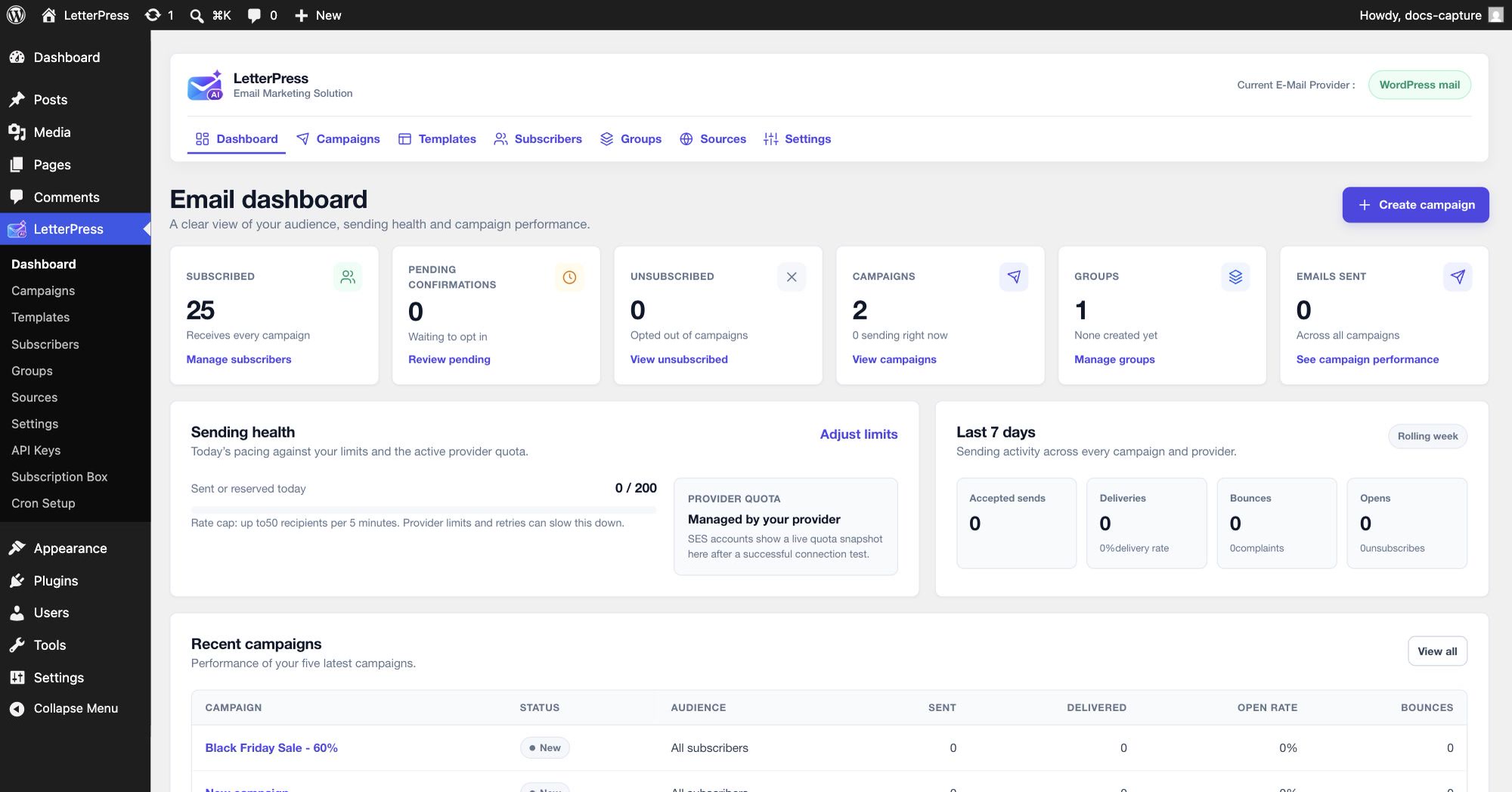
Audience cards
The top row shows your current audience:
| Card | Meaning |
|---|---|
| Subscribed | Contacts who receive every campaign. The link jumps to the Subscribers list |
| Pending confirmations | Signups waiting for their confirmation click. Review them to nudge or clean up |
| Unsubscribed | Contacts who opted out. They stay on record and receive nothing |
| Campaigns | Total campaigns, plus how many are sending right now |
| Groups | How many groups you have created |
| Emails sent | Lifetime total across all campaigns, with a link to campaign performance |
Sending health
The sending health card shows today's pace against your configured limits.
- Sent or reserved today counts every email already sent plus slots reserved for the current sending window.
- Rate cap is the maximum recipients per sending window, taken from Settings > Sending limits. The example here allows up to 50 recipients per 5 minutes with a daily cap of 200.
- For Amazon SES accounts, a live provider quota snapshot appears here after a successful connection test, so you can see how close you are to the account's sending allowance.
Use Adjust limits to jump straight to the sending limits settings.
Last 7 days
The weekly card sums sending activity across every campaign and provider:
| Metric | Meaning |
|---|---|
| Accepted sends | Emails your provider accepted for delivery |
| Deliveries | Emails confirmed as delivered, with the delivery rate |
| Bounces | Failed deliveries, with the complaint count |
| Opens | Campaign opens recorded through open tracking |
If these stay at zero after a campaign, check that your provider supports event tracking and that its webhook is connected.
Next steps
- Set up your first provider under Email Delivery.
- Design a reusable email in the Email Builder.