Groups and Sources
Groups and sources are the two ways LetterPress organizes your audience. Groups answer "who should get this campaign". Sources answer "where did this subscriber come from", and can carry their own sender identity.
Groups
Groups are mailable segments. A campaign can target one group instead of your whole list, and campaigns only email subscribed, non-blocklisted members of that group.
Open LetterPress > Groups.
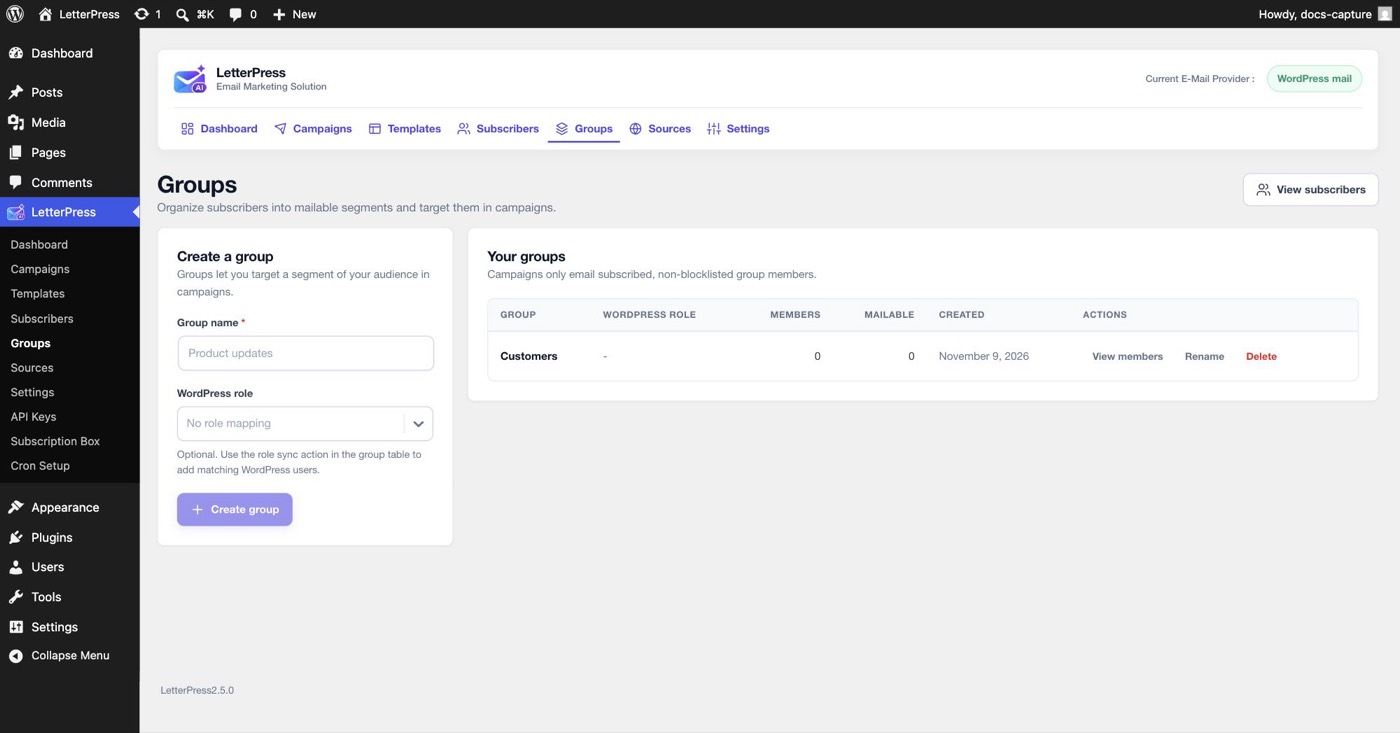
Creating a group
- Type a Group name, for example Product updates or Weekly digest.
- Optionally pick a WordPress role mapping, such as Subscriber, Customer, or Editor.
- Click Create group.
The table shows each group's member count, how many are mailable, and when it was created. Actions per group:
| Action | What it does |
|---|---|
| View members | Opens the Subscribers list filtered to this group |
| Rename | Changes the group label everywhere |
| Delete | Removes the group. Subscribers stay in your audience |
Syncing a WordPress role into a group
A group with a WordPress role mapping can pull in matching users with the role sync action in the group table. Synced members are treated as pre-consented, which makes role groups a quick way to mail all customers or all editors without a CSV.
Sources
Sources record where a subscriber came from: the website form, a CSV import, the WordPress users sync, the REST API, or a source you create yourself.
Open LetterPress > Sources.
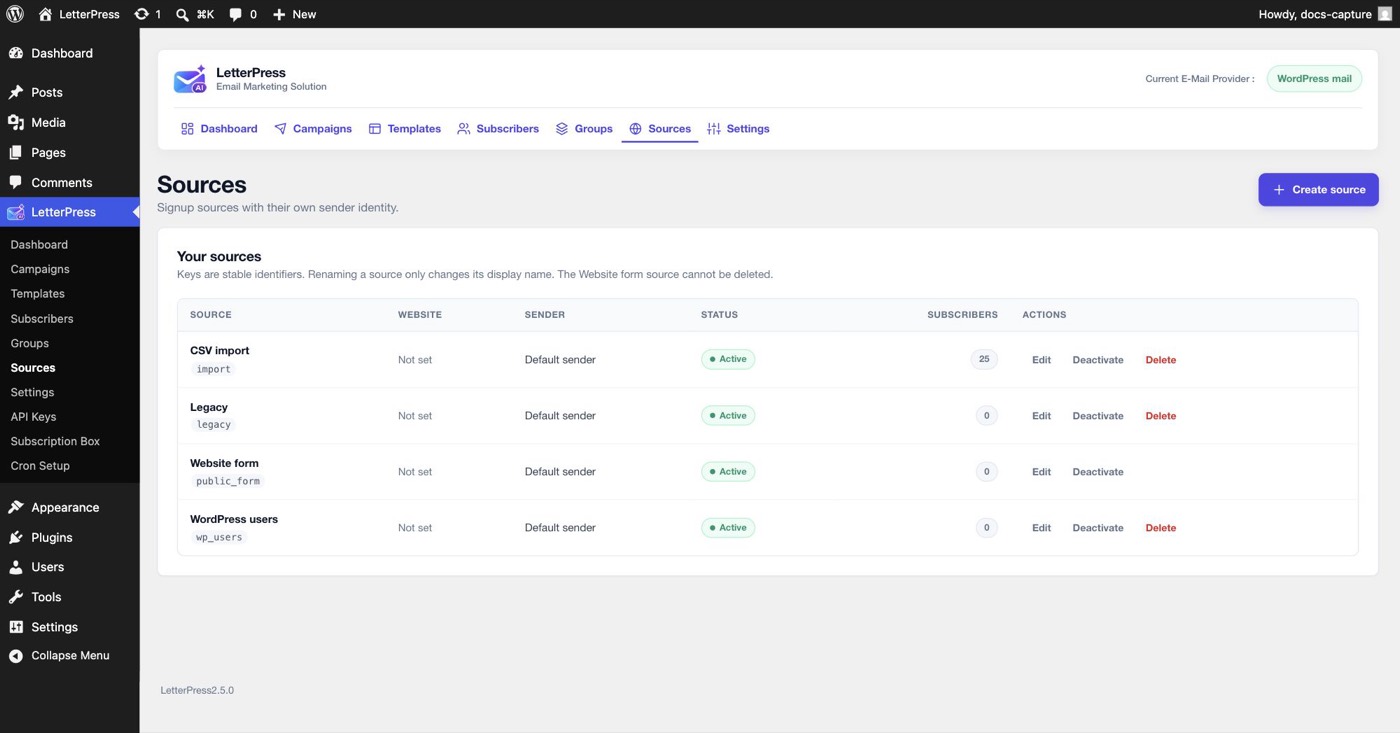
What each source carries
| Column | Meaning |
|---|---|
| Source | Display name with its stable key underneath, for example default or import |
| Website | An optional site label, useful when one install serves several brands |
| Sender | The sender identity used for signups attributed to this source |
| Status | Active sources accept new subscribers. Deactivated ones stop accepting |
| Subscribers | How many subscribers signed up through this source |
LetterPress ships with three sources: CSV import, Website form, and WordPress users. Keys are stable identifiers, renaming only changes the display name, and the Website form source carries the default key and cannot be deleted because the frontend form depends on it.
Click Create source to add your own, for example one per brand or per campaign landing page. Each source can set its own sender identity, so a second brand can send from its own From address while sharing the same install.
Why sources matter
- Campaigns can target one source's subscribers as the audience.
- The Subscribers list filters by source.
- The Subscription Box generates a separate shortcode per source, so every form on your site tags its signups automatically.
Managing groups from code
The Groups screen is the place for day to day changes. If your plugin or theme needs to add or remove members automatically, use the Group Membership API. It covers adding one address, adding many, removing members, and filling a group from a WordPress role.
Next steps
- Target a group or source in a Campaign.
- Collect signups with the Subscription Box.
- Add members automatically with the Group Membership API.