REST API Keys
LetterPress exposes a small REST API for adding and listing subscribers from your own code: contact forms, checkout flows, scripts, or any integration you build. API keys authenticate those requests.
Open LetterPress > API Keys.
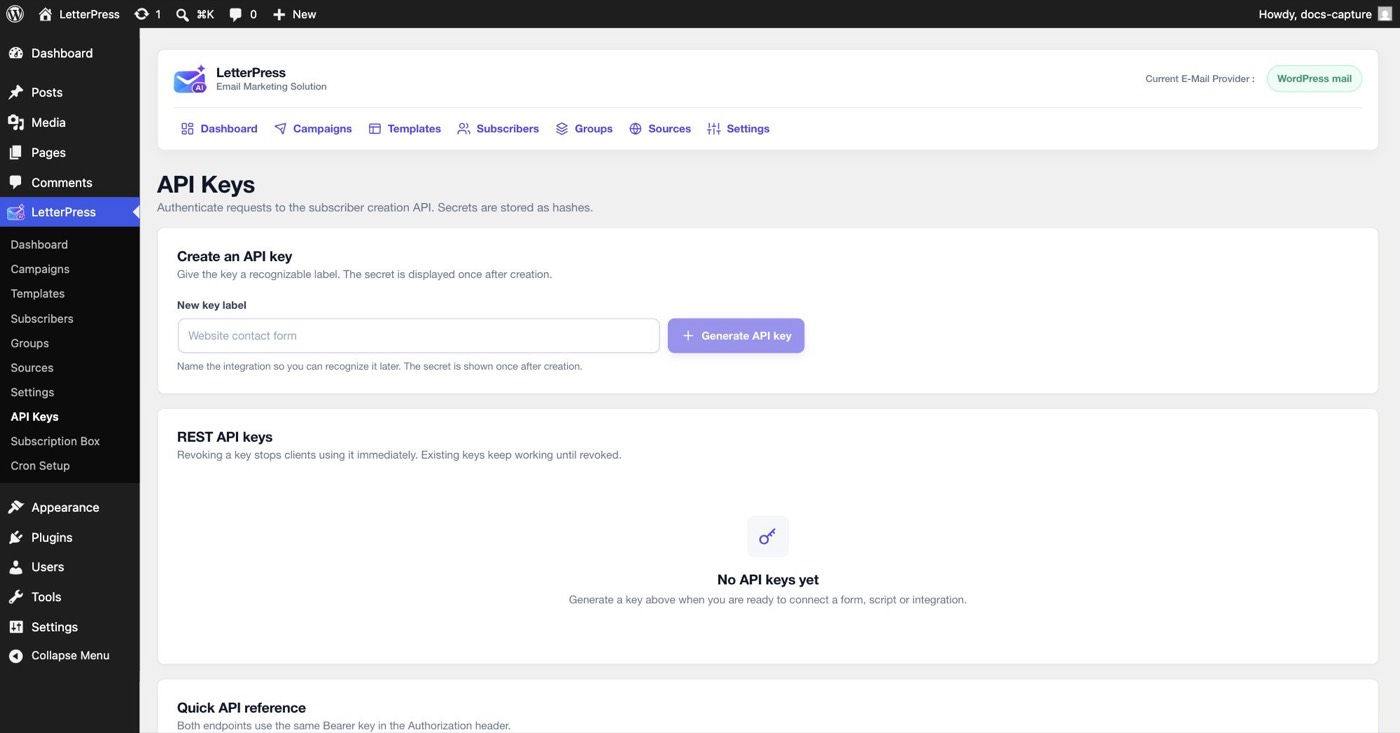
Creating a key
- Type a New key label that names the integration, for example Website contact form.
- Click Generate API key.
- The secret is displayed once after creation. Copy it immediately. LetterPress stores only a hash and cannot show it again.
Revoking a key stops clients using it immediately. Existing keys keep working until revoked, so generate one key per integration to stay able to revoke them separately.
Authentication
Send the key in the Authorization header with the Bearer prefix.
Authorization: Bearer YOUR_API_KEY
Query string keys are not accepted. Requests over plain HTTP will expose the key in transit, so use HTTPS in production.
The endpoints
Both endpoints live under /wp-json/letterpress/v1/ and use the same Bearer key in the Authorization header.
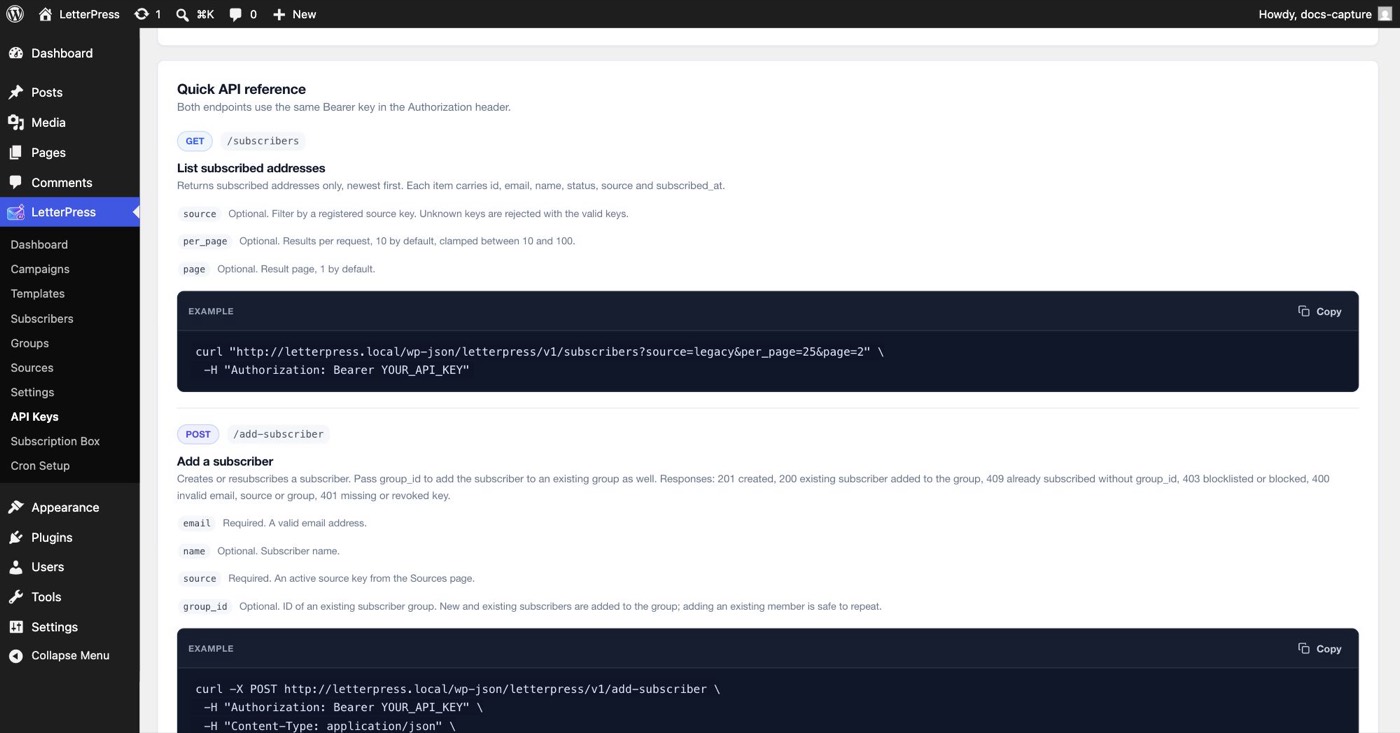
List subscribers
GET /wp-json/letterpress/v1/subscribers
Returns subscribed addresses only, newest first. Pending, unsubscribed, and blocked contacts are not included.
| Parameter | Required | Meaning |
|---|---|---|
source | Optional | Filter by a registered source key. Unknown keys are rejected with the valid keys listed |
per_page | Optional | Results per request, 10 by default, clamped between 10 and 100 |
page | Optional | Result page, 1 by default |
Each subscriber carries id, email, name, status, source, and subscribed_at. The response also includes pagination metadata:
{
"subscribers": [
{
"id": 94,
"name": "Reader",
"status": "subscribed",
"source": "default",
"subscribed_at": 1762819200
}
],
"total_subscribers": 1,
"total_pages": 1,
"current_page": 1
}
curl "https://example.com/wp-json/letterpress/v1/subscribers?source=default&per_page=25&page=2" \
  -H "Authorization: Bearer YOUR_API_KEY"
A 400 response means the source key is unknown. The error data includes available_sources with the registered keys, so the caller can correct the request without opening the admin.
Add a subscriber
POST /wp-json/letterpress/v1/add-subscriber
Creates or resubscribes a subscriber. Pass group_id to add the subscriber to an existing group as well.
| Field | Required | Meaning |
|---|---|---|
email | Required | A valid email address |
name | Optional | Subscriber name, trimmed to 100 characters |
source | Optional | The source key to attribute the signup to, from the Sources page. Defaults to the default source, and unknown or inactive keys are stored as default |
group_id | Optional | ID of an existing subscriber group. New and existing subscribers are added to the group, and adding an existing member is safe to repeat |
The response includes created, email, source, and status. When group_id is supplied, it also includes group_id and group_added. If the confirmation email could not be sent, confirmation_email is set to failed while the subscriber row is still saved.
curl -X POST "https://example.com/wp-json/letterpress/v1/add-subscriber" \
-H "Authorization: Bearer YOUR_API_KEY" \
-H "Content-Type: application/json" \
| Response | Meaning |
|---|---|
201 | Subscriber created or resubscribed. status is pending when confirmation is required, otherwise subscribed |
200 | The address was already subscribed and is now in the requested group. created is false |
400 | Invalid email or unknown group |
401 | Missing, invalid, or revoked API key |
403 | The address is blocklisted or otherwise cannot be added |
409 | The address is already subscribed and no group_id was supplied |
Security notes
- Secrets are stored as SHA-256 hashes, so a leaked database dump cannot reveal your keys.
- Send requests over HTTPS in production so the Bearer key cannot be observed in transit.
- Treat the key like a password. Use one key per integration, and rotate by generating a new key and revoking the old one.
- The endpoints manage subscribers, not campaigns or settings. They cannot send email.
Next steps
- Register the source key you will send with under Groups and Sources.
- Add members to groups from PHP with the Group Membership API.
- Register your own email events with the Transactional Email API.
- Keep campaign queues moving with Cron Setup.